ImagePullBackOff and ErrImagePull: A Fix-It Guide
Intermediate · 5 min read
Key takeaways
- Understand the difference between ImagePullBackOff and ErrImagePull in Kubernetes.
- Diagnose and fix image pulling issues using kubectl and pod events.
- Consider security, performance, and scaling for production environments.
The Problem
Imagine you’re a DevOps engineer at a fast-growing e-commerce company. Your team has just deployed a new microservice, but it’s not starting up as expected. The Kubernetes dashboard shows that the pod is stuck in the ImagePullBackOff or ErrImagePull state. This is a critical issue because your service is unavailable, and customers are unable to complete their transactions. Understanding and resolving these errors is crucial for maintaining the reliability and availability of your applications.
Core Concepts
Before diving into the solutions, let’s break down the key concepts involved:
- Kubernetes Pod: The smallest deployable unit in Kubernetes, which can contain one or more containers.
- Container Image: A lightweight, standalone, executable package that includes everything needed to run a piece of software, including the code, runtime, libraries, environment variables, and configuration files.
- Registry: A storage and distribution system for named Docker images. Commonly used registries include Docker Hub, Google Container Registry (GCR), and Amazon Elastic Container Registry (ECR).
- ImagePullPolicy: A Kubernetes setting that determines when and how to pull container images. It can be set to
Always,IfNotPresent, orNever. - ImagePullBackOff: A Kubernetes status indicating that the kubelet (the primary node agent) has failed to pull the image from the registry and is backing off before retrying.
- ErrImagePull: An error message indicating that the kubelet has tried to pull the image but encountered an error, such as a network issue or incorrect image name.
How It Works
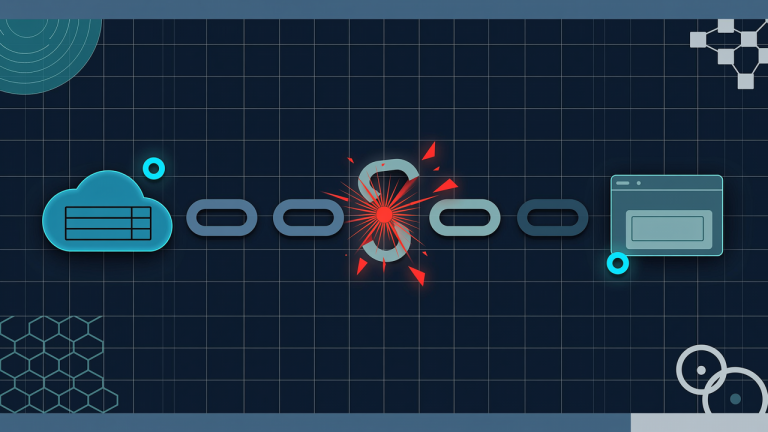
When a Kubernetes pod is created, the kubelet on the node tries to pull the specified container image from the registry. If the image cannot be pulled, the pod enters the ImagePullBackOff or ErrImagePull state. Here’s a step-by-step breakdown of the process:
- The Kubernetes API server receives a request to create a pod.
- The kubelet on the node where the pod is scheduled attempts to pull the image from the specified registry.
- If the image is not found, the kubelet retries after a backoff period, leading to the
ImagePullBackOffstate. - If there is an error during the pull, such as a network issue or incorrect image name, the pod enters the
ErrImagePullstate.
Prerequisites
Before you start, ensure you have the following:
- A running Kubernetes cluster (e.g., Minikube, GKE, EKS, AKS).
- kubectl installed and configured to interact with your cluster.
- Access to a container registry (e.g., Docker Hub, GCR, ECR).
- A basic understanding of Kubernetes and containerization.
Hands-On Walkthrough
Let's walk through a practical example of diagnosing and fixing ImagePullBackOff and ErrImagePull issues.
Step 1: Create a Kubernetes Deployment
Create a simple deployment with an incorrect image name to simulate the ImagePullBackOff and ErrImagePull states.
apiVersion: apps/v1
kind: Deployment
metadata:
  name: nginx-deployment
spec:
  replicas: 1
  selector:
    matchLabels:
      app: nginx
  template:
    metadata:
      labels:
        app: nginx
    spec:
      containers:
      - name: nginx
        image: nginx:latest
        ports:
        - containerPort: 80
Save this to a file called nginx-deployment.yaml and apply it to your cluster:
kubectl apply -f nginx-deployment.yamlStep 2: Check the Pod Status
Use the following command to check the status of the pods:
kubectl get podsYou should see the pod in the ImagePullBackOff or ErrImagePull state.
Step 3: Diagnose the Issue
To diagnose the issue, use the following command to view the detailed events:
kubectl describe pod <pod-name>Look for events related to image pulling, such as:
Failed to pull image "nginx:latest": rpc error: code = Unknown desc = Error response from daemon: manifest for nginx:latest not found: manifest unknown: manifest unknownStep 4: Fix the Issue
Update the deployment YAML with the correct image name and reapply it:
apiVersion: apps/v1
kind: Deployment
metadata:
  name: nginx-deployment
spec:
  replicas: 1
  selector:
    matchLabels:
      app: nginx
  template:
    metadata:
      labels:
        app: nginx
    spec:
      containers:
      - name: nginx
        image: nginx:1.21.0
        ports:
        - containerPort: 80
Apply the updated deployment:
kubectl apply -f nginx-deployment.yamlVerifying It Works
After applying the corrected deployment, verify that the pod is running successfully:
kubectl get podsYou should see the pod in the Running state. To further confirm, you can check the logs:
kubectl logs <pod-name>Common Mistakes
Here are some common mistakes and how to avoid them:
- Incorrect Image Name: Ensure the image name and tag are correct. Use
kubectl describe pod <pod-name>to check the image details. - Network Issues: Verify that the node has network access to the registry. Use
pingorcurlto test connectivity. - Authentication Issues: If using a private registry, ensure the Kubernetes secret for the registry credentials is correctly configured and referenced in the pod specification.
- ImagePullPolicy: Set the
imagePullPolicyappropriately. UseIfNotPresentif you want to use a cached image, orAlwaysif you always want to pull the latest image.
Going Further
Once you have resolved the ImagePullBackOff and ErrImagePull issues, consider the following production considerations and advanced topics:
- Scaling: Use Kubernetes Horizontal Pod Autoscaler (HPA) to automatically scale your pods based on CPU usage or custom metrics.
- Security: Use secure connections (HTTPS) to the registry and rotate your registry credentials regularly. Consider using image scanning tools to detect vulnerabilities in your container images.
- Performance Tuning: Optimize your container images by minimizing their size and using efficient base images. Use resource requests and limits to manage pod resource usage.
- Alternative Approaches: Consider using a multi-registry setup for high availability. Use a local registry mirror to reduce latency and improve performance. Each approach has its trade-offs, such as increased complexity and cost.
Cleanup
To clean up the resources created in this tutorial, use the following commands:
kubectl delete deployment nginx-deploymentArchitecture

References
This article was written with AI assistance.